
WeSchool Web Platform
While the mobile app redesign focused on portability and student-centered interactions, the web platform was enhanced with a stronger focus on teachers’ needs. It offers a comprehensive set of tools that empower educators to manage their digital classrooms effectively — including lesson and assignment creation, student group management, access to learning analytics, and full control over class organization. The goal was to provide a powerful yet user-friendly environment to support planning, monitoring, and engaging with students across all stages of the learning process. You can find some of the key features I worked on during my time at WeSchool detailed in this article.
Social Wall
The sign up flow was completely redesigned to align with modern app standards and improve overall usability. The new flow is more intuitive, visually consistent, and instantly recognizable to users familiar with contemporary mobile applications
Social Wall
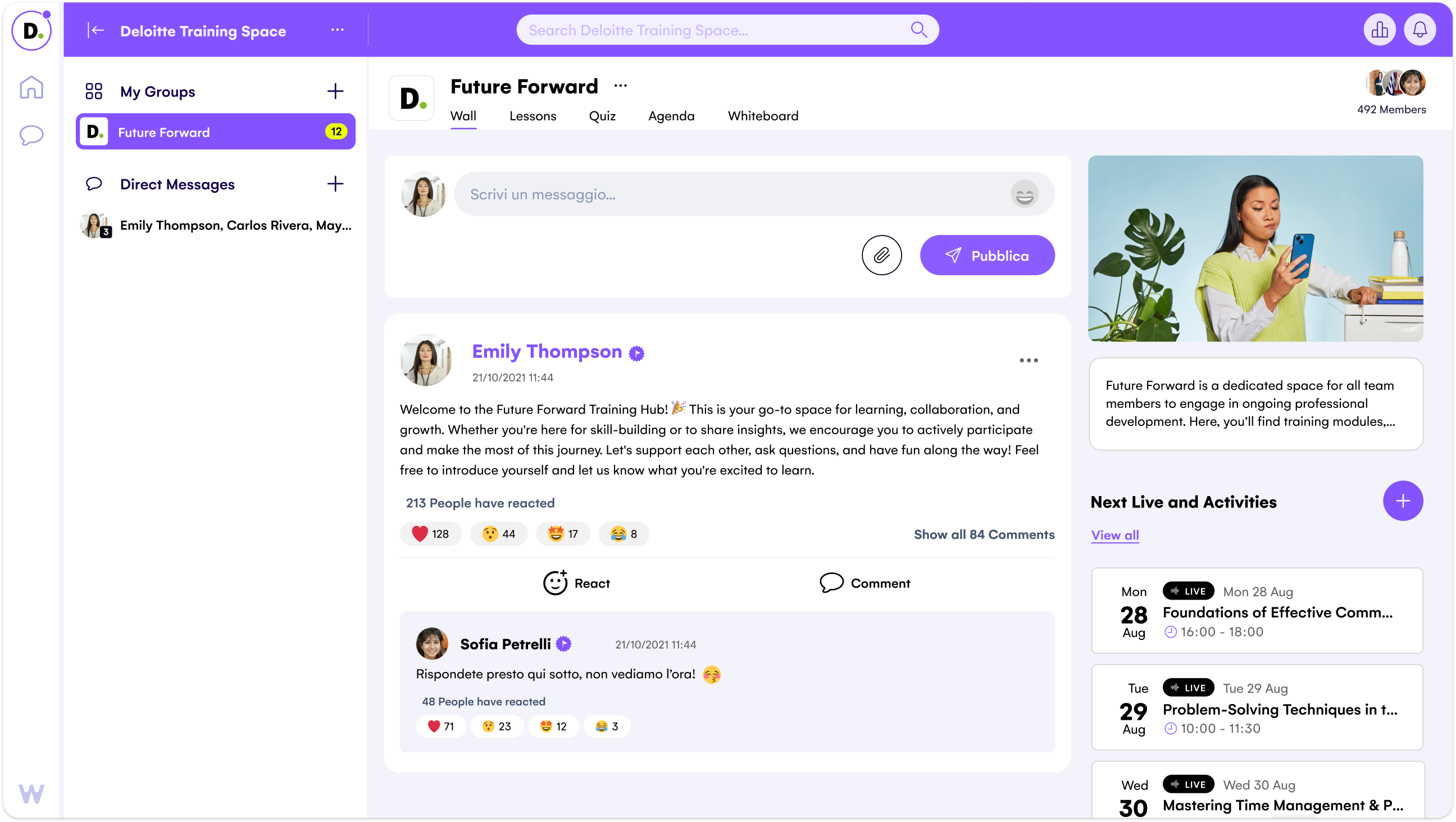
The Wall — the core space for classroom communication — was modernized both visually and functionally. We introduced essential social features such as reactions and user tagging, aligning the experience with the interaction patterns today’s students expect. These updates made the Wall more engaging, collaborative, and dynamic, encouraging participation and improving the overall sense of community within the app.
Group Chat
The Wall — the core space for classroom communication — was modernized both visually and functionally. We introduced essential social features such as reactions and user tagging, aligning the experience with the interaction patterns today’s students expect. These updates made the Wall more engaging, collaborative, and dynamic, encouraging participation and improving the overall sense of community within the app.
Modules
The Wall — the core space for classroom communication — was modernized both visually and functionally. We introduced essential social features such as reactions and user tagging, aligning the experience with the interaction patterns today’s students expect. These updates made the Wall more engaging, collaborative, and dynamic, encouraging participation and improving the overall sense of community within the app.
WeSchool Web Platform
While the mobile app redesign focused on portability and student-centered interactions, the web platform was enhanced with a stronger focus on teachers’ needs. It offers a comprehensive set of tools that empower educators to manage their digital classrooms effectively — including lesson and assignment creation, student group management, access to learning analytics, and full control over class organization. The goal was to provide a powerful yet user-friendly environment to support planning, monitoring, and engaging with students across all stages of the learning process. You can find some of the key features I worked on during my time at WeSchool detailed in this article.
Social Wall
The Wall was redesigned to feel more social and dynamic. We introduced reactions, mentions, and a cleaner layout to make conversations more engaging and easier to follow. These updates helped turn the Wall into a familiar, interactive space that encourages participation and connection within the classroom.
Social Wall
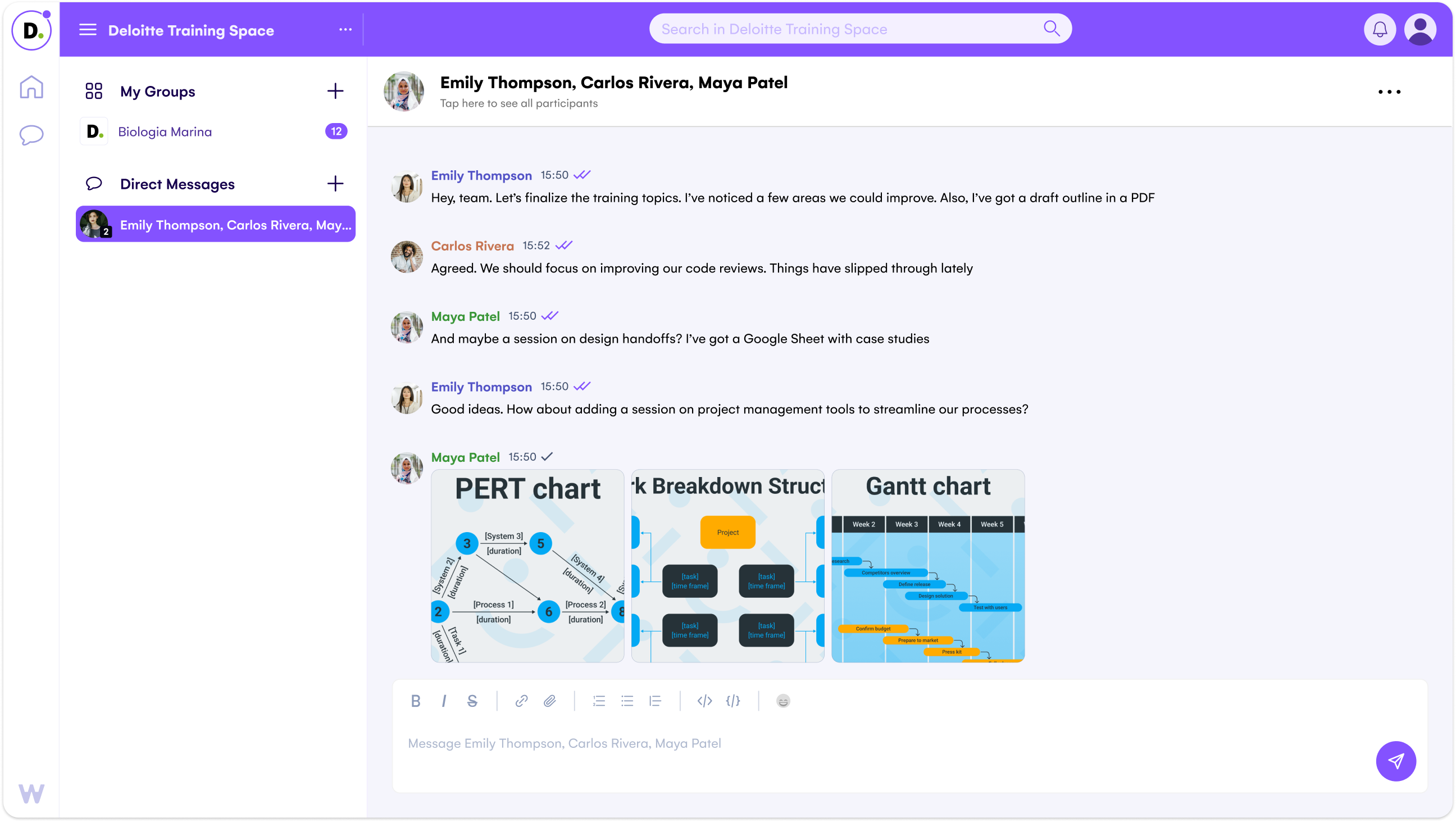
The chat was redesigned with the same updates as the mobile app, bringing a faster, more modern messaging experience to the web. Features like reactions, mentions, group chats, file sharing, and writing indicators make communication smooth and productive — perfectly suited for both quick exchanges and structured collaboration.
Group Chat
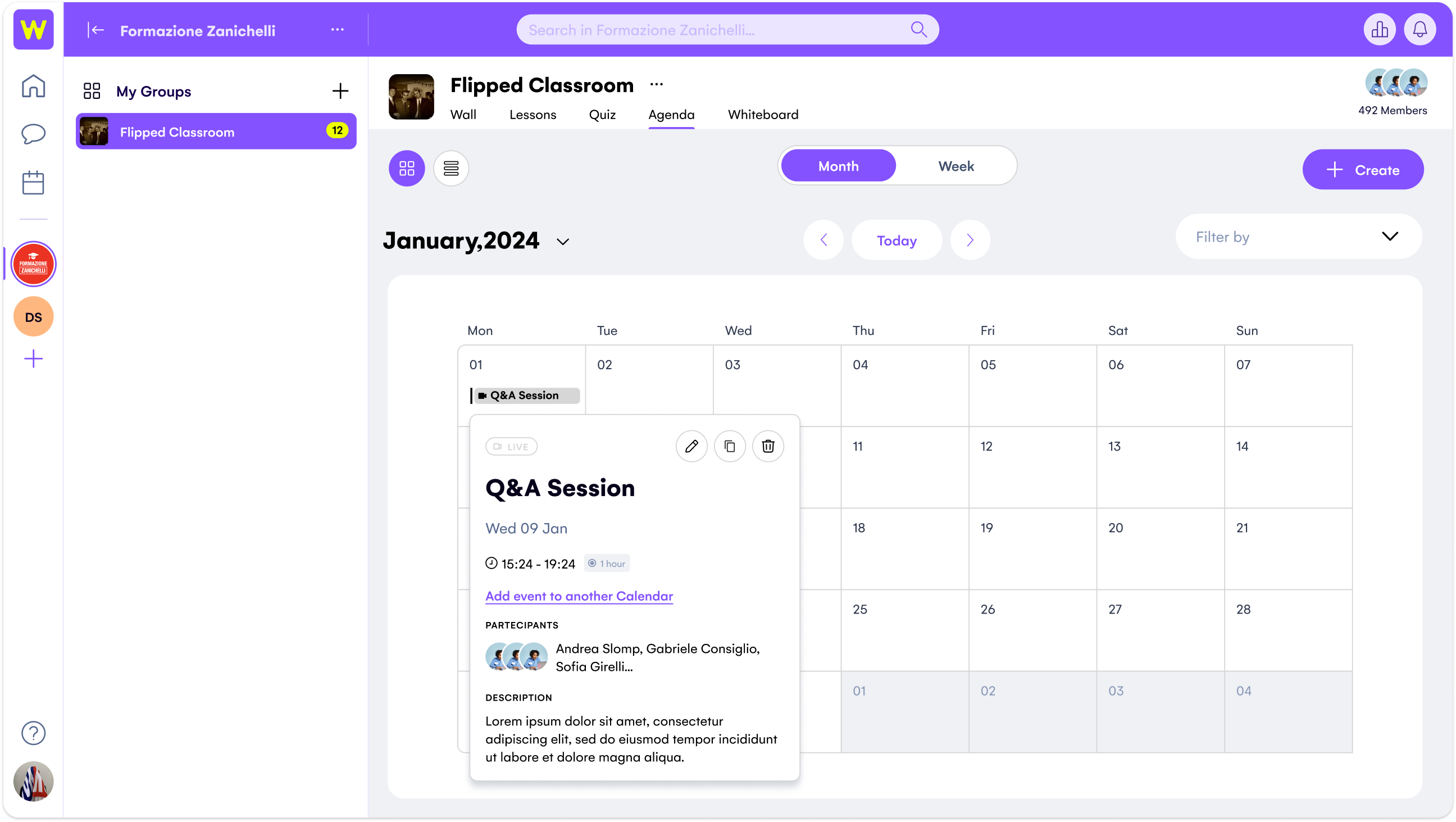
The Calendar feature allows teachers to create lessons, activities, and events for an entire class or a specific group of students. It also supports the upload of relevant attachments, such as materials or resources needed for each activity. This makes scheduling and managing classroom tasks more efficient, while keeping everything organized in one central place.
Modules
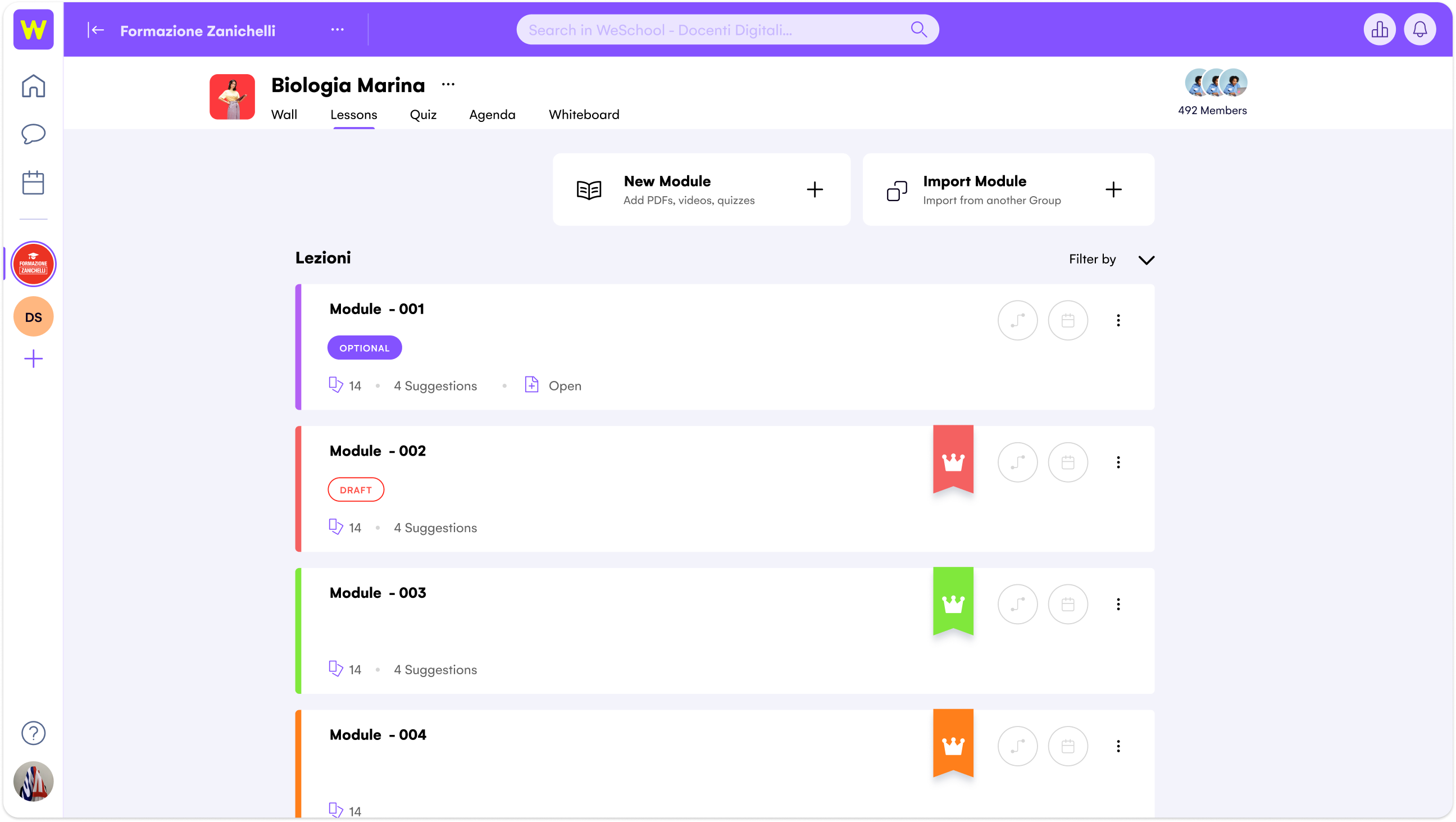
Modules allow teachers to upload their course materials, create collaborative lessons with students, and design personalized learning paths. This feature fosters a more interactive and tailored learning experience, enabling both teachers and students to engage more deeply with the content and progress at their own pace.
WeSchool Web Platform
While the mobile app redesign focused on portability and student-centered interactions, the web platform was enhanced with a stronger focus on teachers’ needs. It offers a comprehensive set of tools that empower educators to manage their digital classrooms effectively — including lesson and assignment creation, student group management, access to learning analytics, and full control over class organization. The goal was to provide a powerful yet user-friendly environment to support planning, monitoring, and engaging with students across all stages of the learning process. You can find some of the key features I worked on during my time at WeSchool detailed in this article.
Social Wall
The Wall was redesigned to feel more social and dynamic. We introduced reactions, mentions, and a cleaner layout to make conversations more engaging and easier to follow. These updates helped turn the Wall into a familiar, interactive space that encourages participation and connection within the classroom.
Social Wall
The chat was redesigned with the same updates as the mobile app, bringing a faster, more modern messaging experience to the web. Features like reactions, mentions, group chats, file sharing, and writing indicators make communication smooth and productive — perfectly suited for both quick exchanges and structured collaboration.
Group Chat
The Calendar feature allows teachers to create lessons, activities, and events for an entire class or a specific group of students. It also supports the upload of relevant attachments, such as materials or resources needed for each activity. This makes scheduling and managing classroom tasks more efficient, while keeping everything organized in one central place.
Modules
Modules allow teachers to upload their course materials, create collaborative lessons with students, and design personalized learning paths. This feature fosters a more interactive and tailored learning experience, enabling both teachers and students to engage more deeply with the content and progress at their own pace.